ShodoBot
Team Michelle calligraphy robot project with TOM
February 2020
A coworker asked me to help volunteer at a Hackathon with students at Columbia. The TOM program pairs engineers and individuals with special needs to help create tools to assist them. My team was paired with a woman named Michelle who likes to do calligraphy but has limited motor functions. She is very capable of controlling a computer using eye tracking software, so we devised a 3D-printer-style robot that can make brush strokes.
The Build
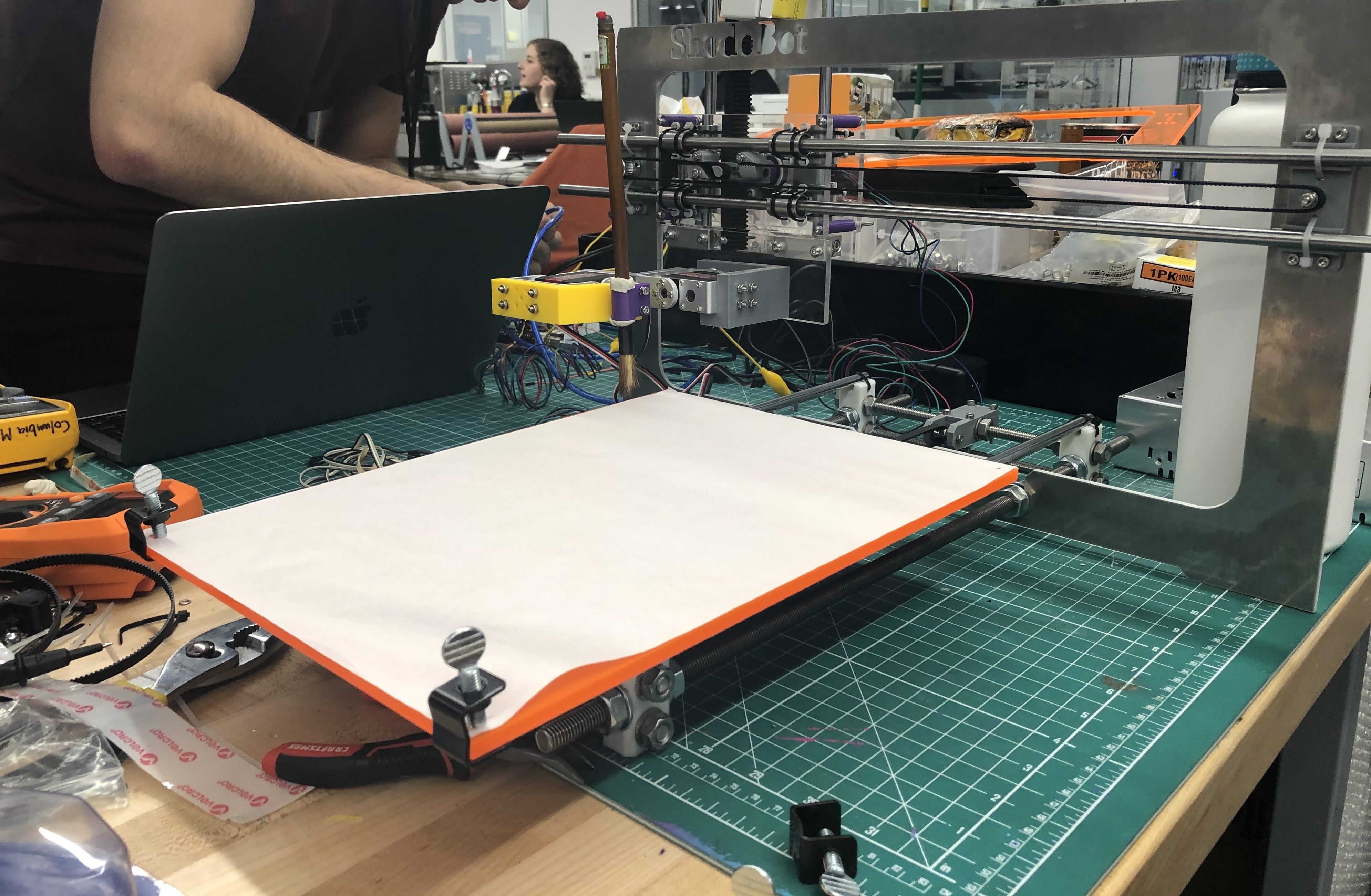
My team members with robotics experience spearheaded the construction of the robot. This robot is essentially a more complicated 3D printer.
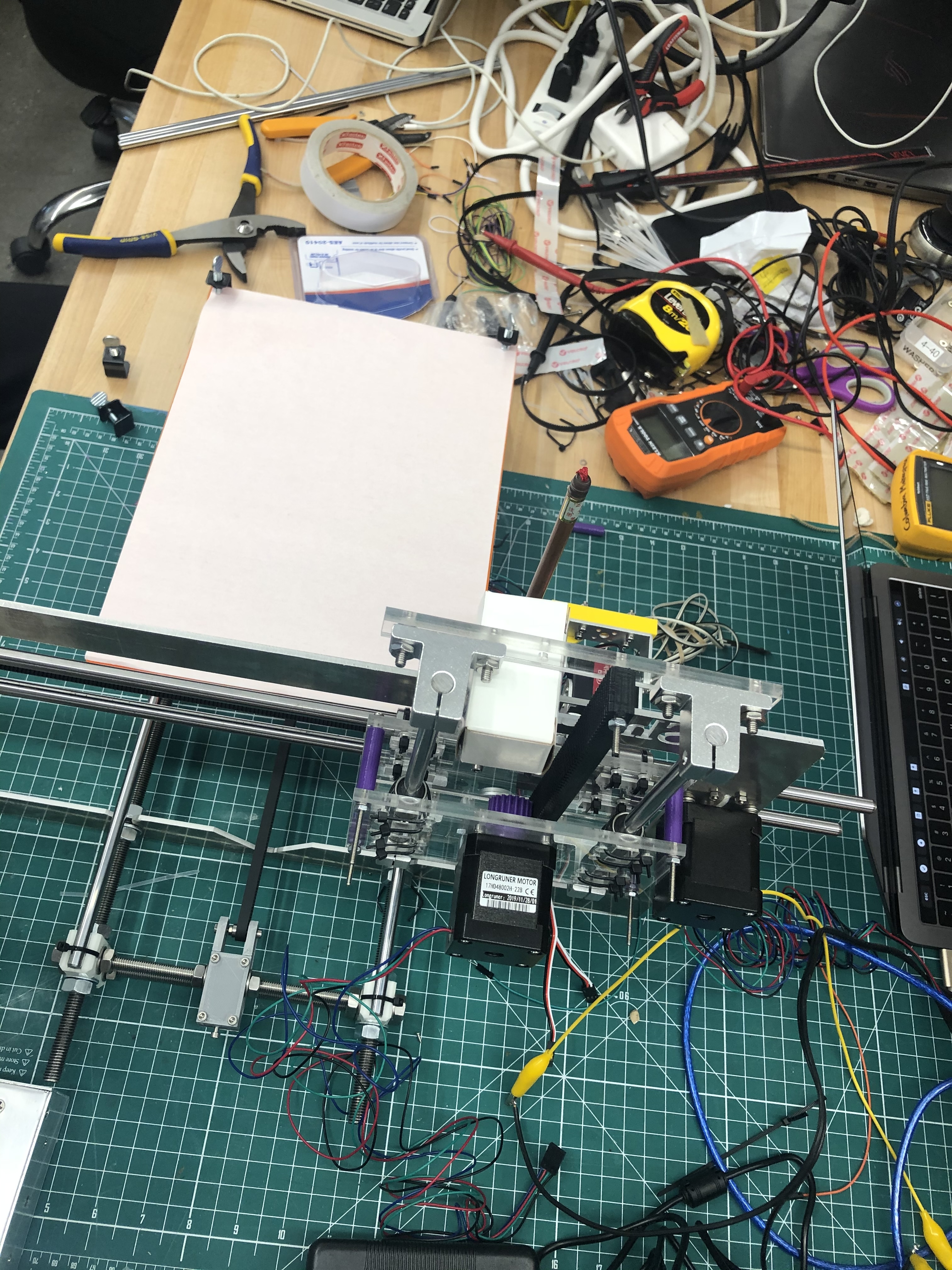
The robot would angle, lift, and zig-zag the brush across the x-axis. To make vertical strokes, the robot would slide the paper itself up and down.
The UI
As a web developer, I was in charge of the UI. While I have plenty of experience making web apps and some Arduino projects under my belt, I have never paired the two. Making a web UI capable of controlling a robot was very exciting.
The first problem was figuring out how to interface the two. In order to do that, we had to find the open socket on the Arduino.
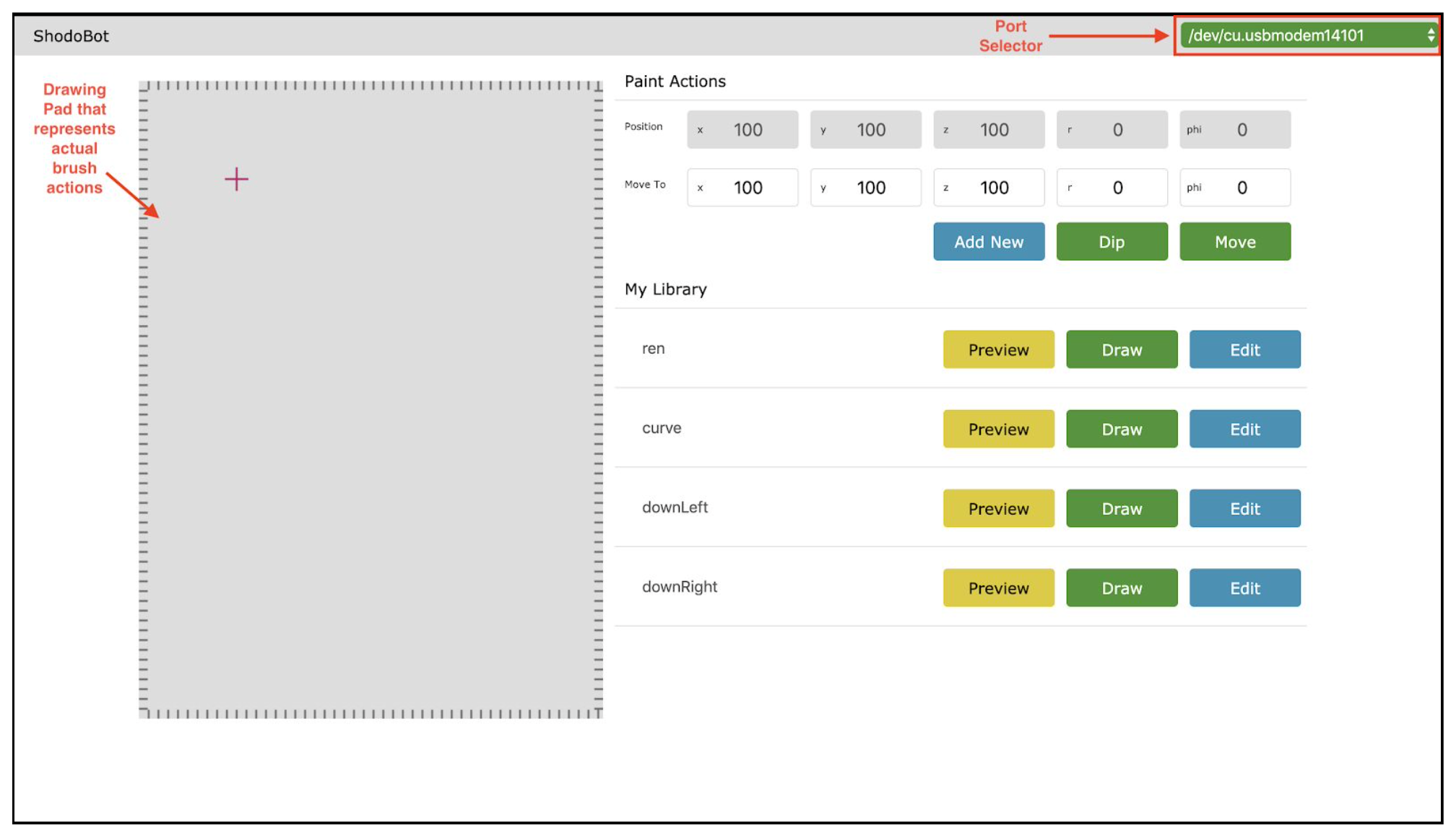
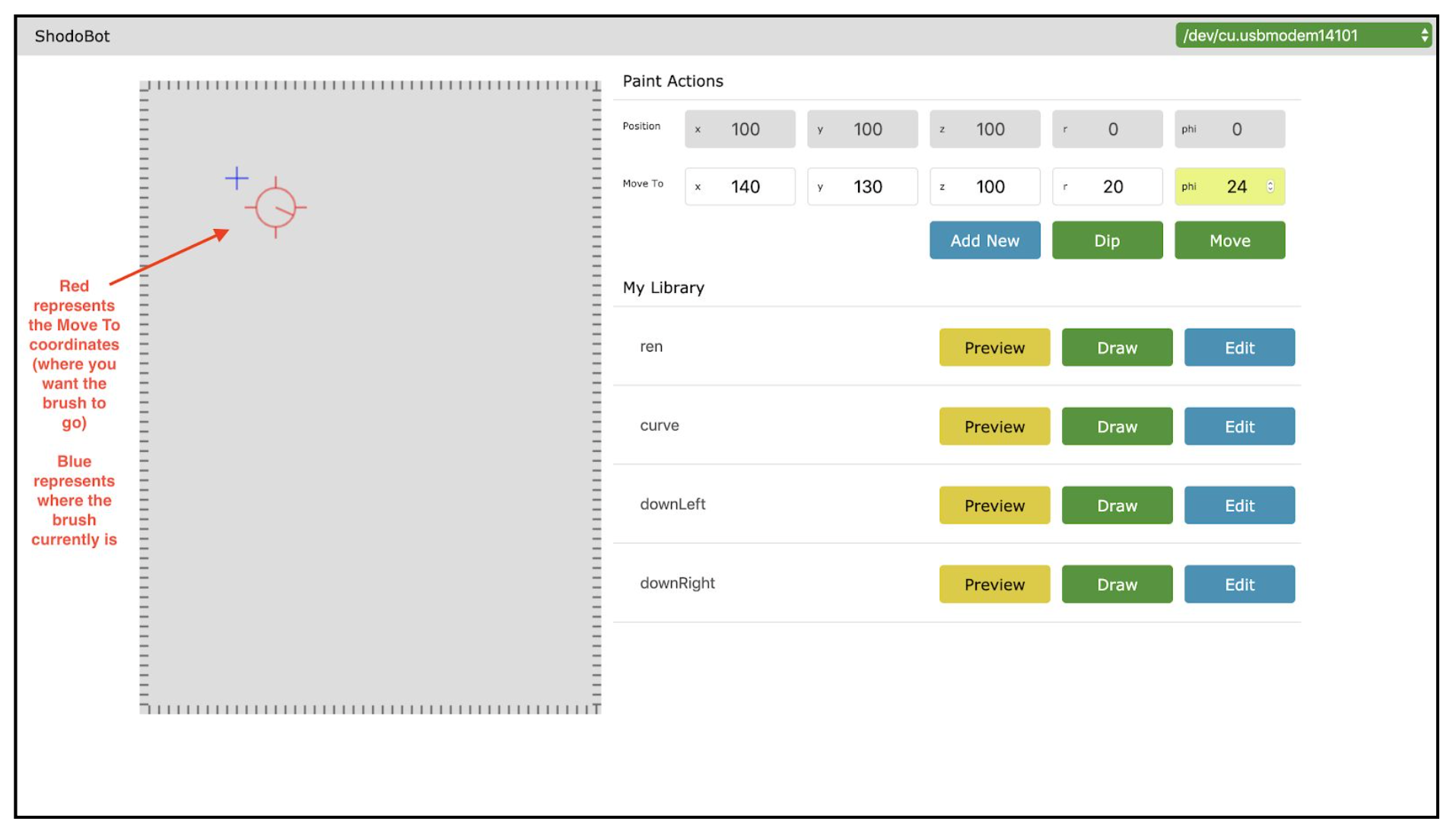
The interface featured a canvas that previewed the strokes, a series of moves that could be edited to make the stroke, and saved commands with known strokes and actions like dipping the brush in more ink.
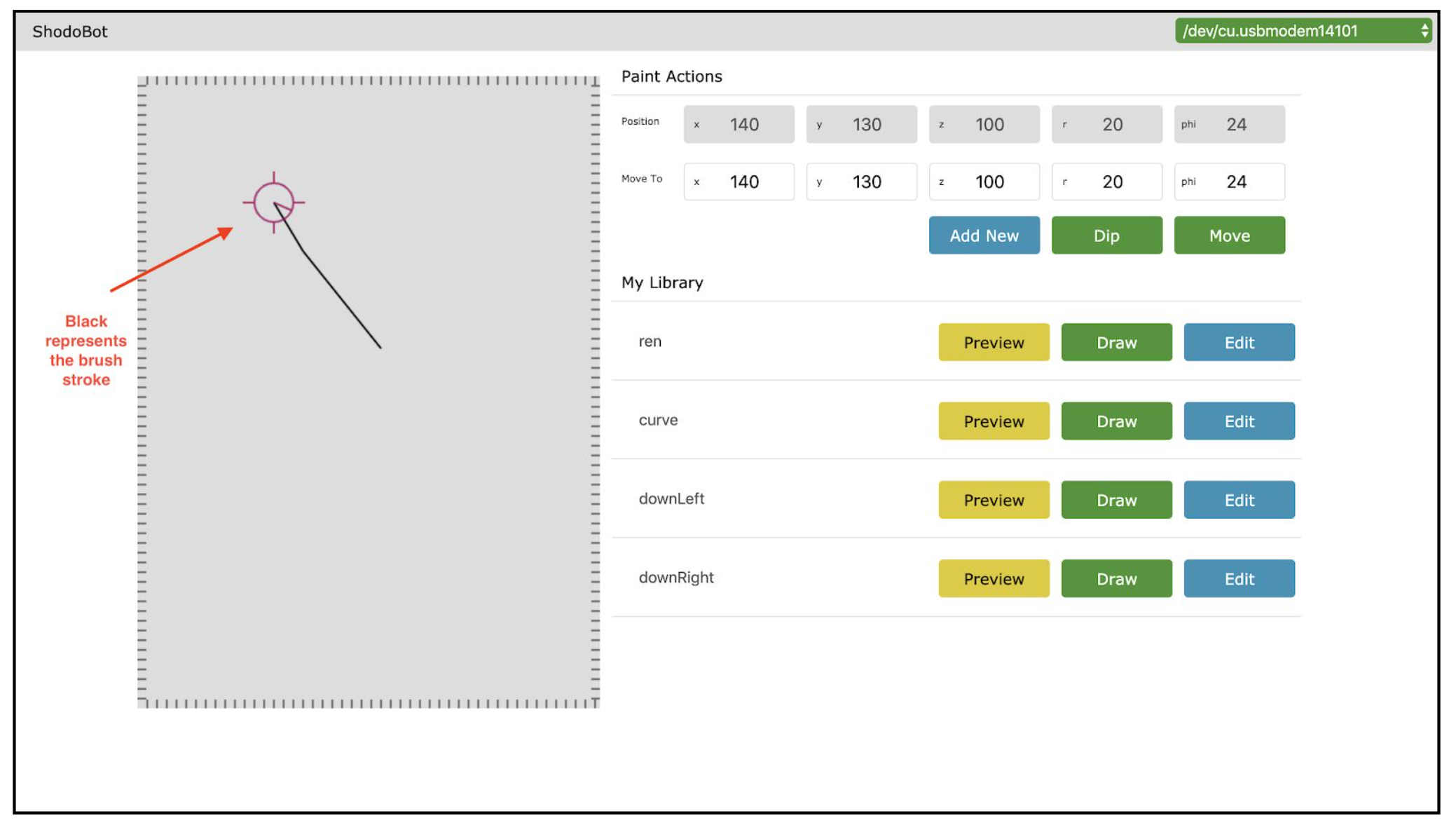
The Final Project
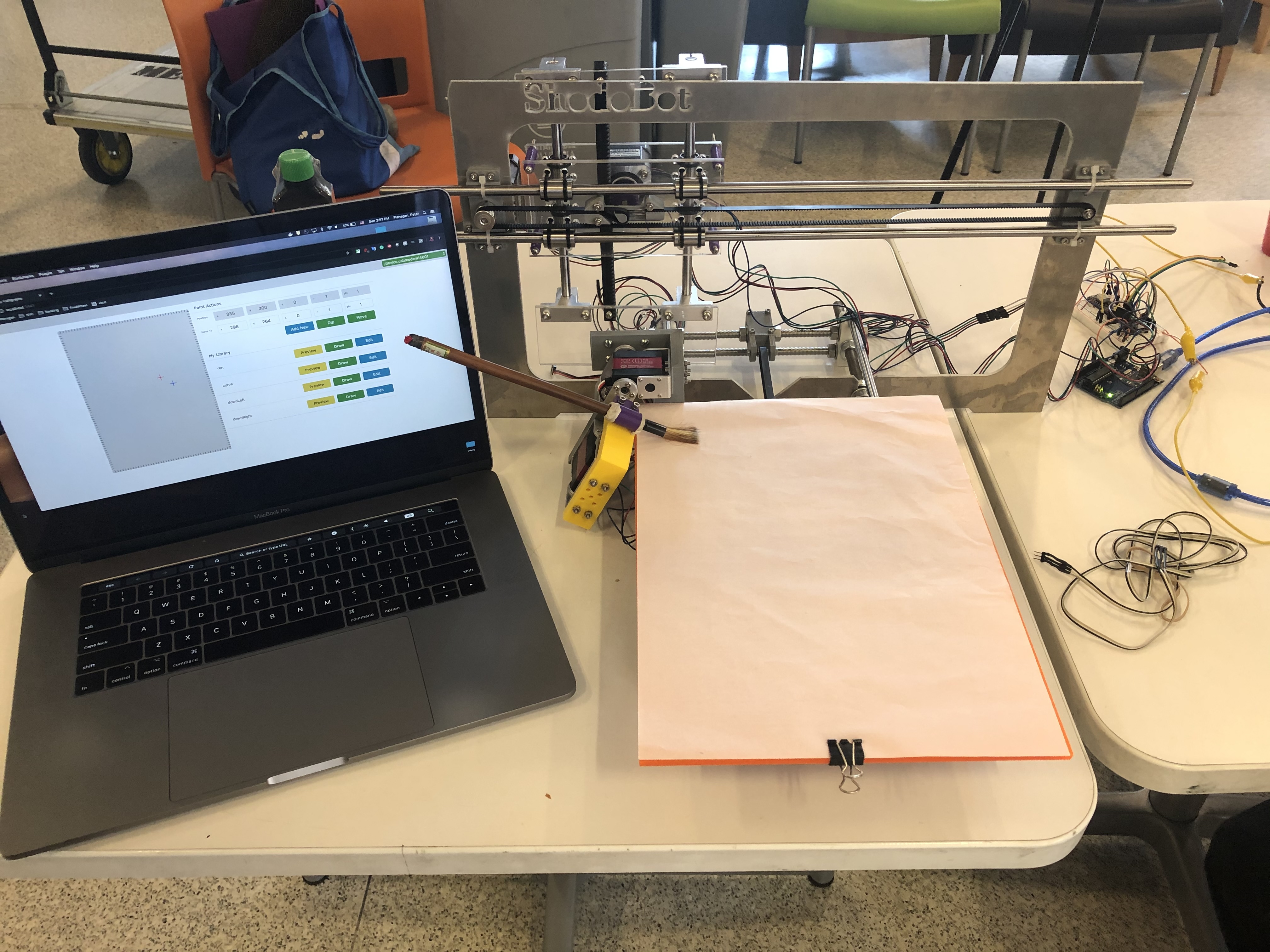
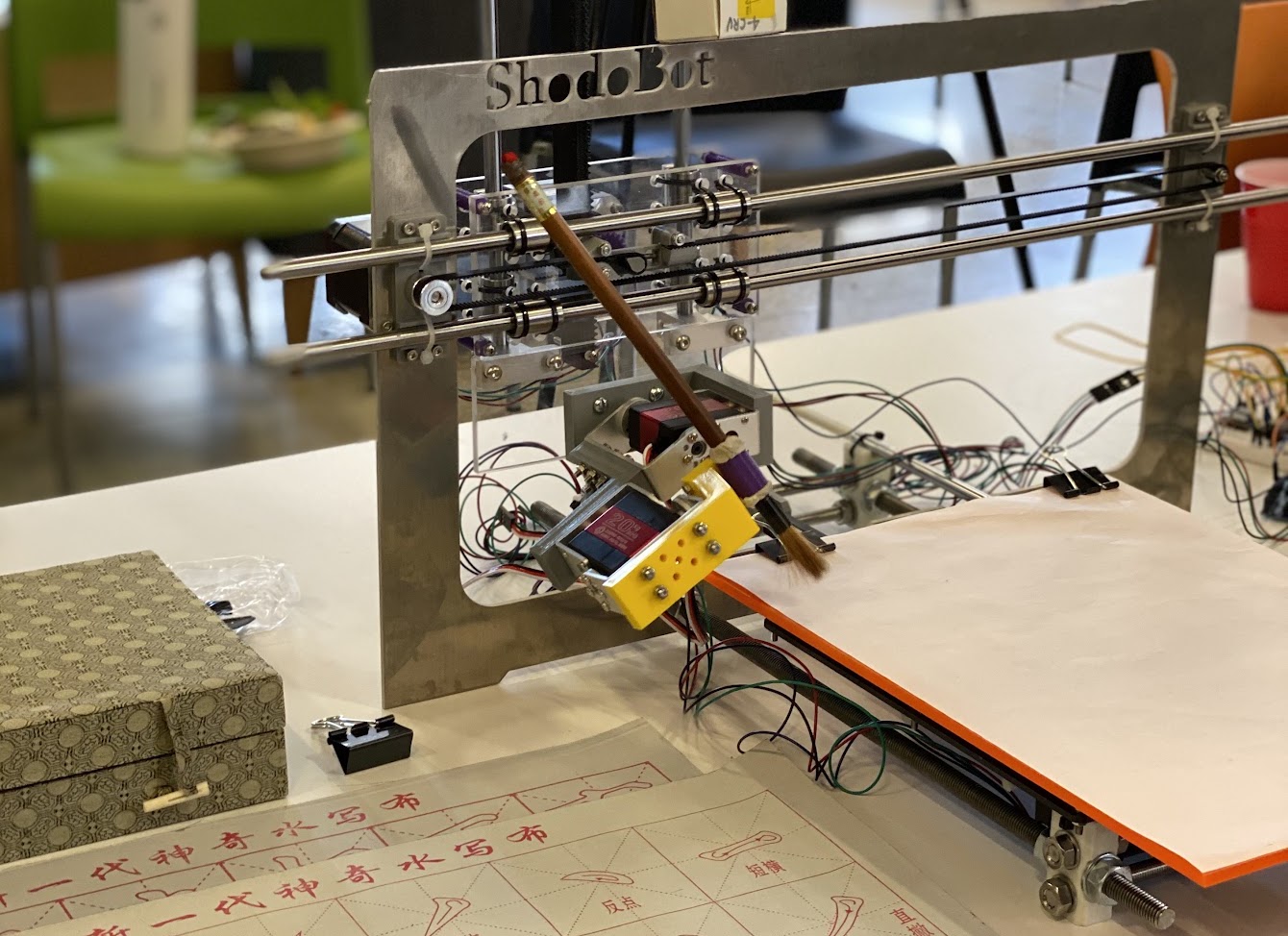
Post Hackathon
After the Hackathon, the team wanted to continue refining the project. I got the UI to a much more comprehensive place.
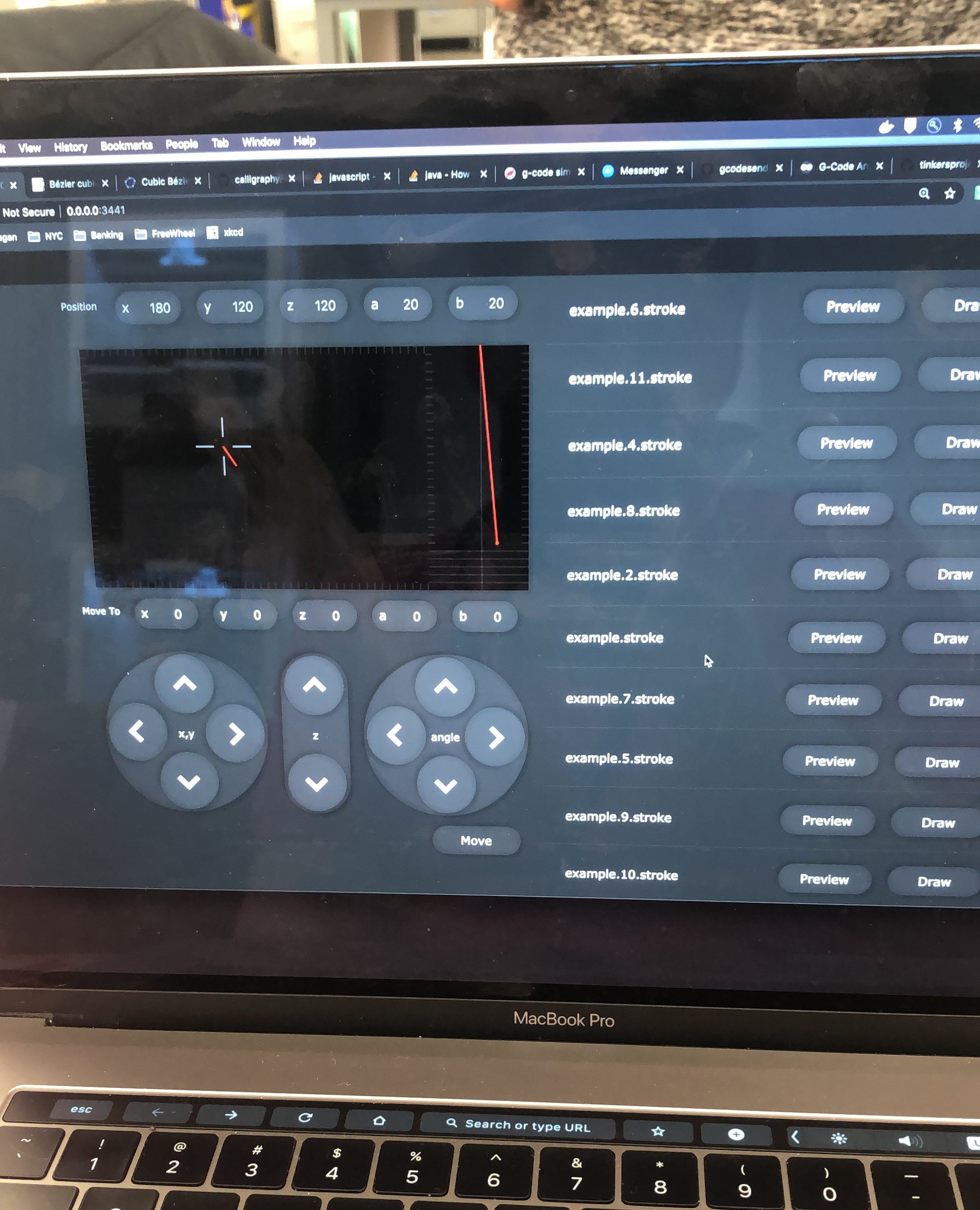
The UI displayed the angle of the brush, with a pressure indicator. The current and next position we’re described on screen. The buttons to move the brush could more easily be pressed with eye-tracking software. And recorded strokes could be saved as .stroke files.