OhWord!?
A daily online game
March 2023
Inspired by Wordle’s success a few years ago, I decided to create my own daily game. I started with the code of a game I had developed before to play with just my family, and I looked into changing up the rules.
The original game was about connecting letter tiles together to form a crossword (best described as Solo-Scrabble). I made an online version of this game where a player could “roll” the tiles, make an arrangement, receive a score, and then share that arrangement with someone else so they could try and get a higher score. My family played it often during COVID but it didn’t have a broader appeal.
To turn this into a daily word game I would make it so that every player receives the same tiles, and only those tiles until the end of the day. A daily game would incentivize people to return to the site, and the shared tiles meant people could still compete with friends by sharing their score that day.
I called it: OhWord!?.
The Redesign
New Theme
In the original game, I styled the board to look like wood, since we used to play with wooden tiles. This new game called for a new theme. I went to Dribbble for some inspiration and found out about web Brutalism. I went for a kind of light version of that. I think it makes the tiles slightly 3D looking.
New Gameplay
Word Length Bonus Points
The first thing I wanted to do was differentiate. The game my family plays is analog, and I simply built a digital version of it. Making a new game meant I could redefine some of the rules. The best strategy in the tile game was to double up as many letters as possible. This would lead to writing short words and intersecting them, which was boring and repetitive. To get around this, I added bonus points for word length to incentive writing longer words.
New Tile Values
My family plays our game with Scrabble tiles, so I had been using those values. While those worked, I also knew that Words With Friends uses different values than Scrabble.
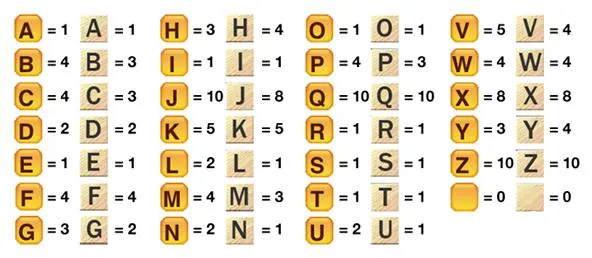
If Words With Friends felt the need to differentiate, perhaps I should as well. So, I came up with values myself. So I pulled some data out of the dictionary.
┌────────┬────────┬───────┬───────────┐
│ letter │ count  │ value │ frequency │
├────────┼────────┼───────┼───────────┤
│  'Q'   │  2584  │  10   │  '0.15'   │
│  'J'   │  2674  │  10   │  '0.15'   │
│  'X'   │  4761  │   9   │  '0.27'   │
│  'Z'   │  7601  │   8   │  '0.43'   │
│  'W'   │ 12418  │   6   │  '0.70'   │
│  'K'   │ 14451  │   6   │  '0.82'   │
│  'V'   │ 15429  │   6   │  '0.88'   │
│  'F'   │ 20030  │   4   │  '1.14'   │
│  'Y'   │ 25870  │   4   │  '1.47'   │
│  'B'   │ 30124  │   4   │  '1.71'   │
│  'H'   │ 36764  │   4   │  '2.09'   │
│  'G'   │ 43533  │   4   │  '2.47'   │
│  'M'   │ 44855  │   4   │  '2.54'   │
│  'P'   │ 46599  │   3   │  '2.64'   │
│  'U'   │ 52109  │   3   │  '2.96'   │
│  'D'   │ 54873  │   3   │  '3.11'   │
│  'C'   │ 64169  │   3   │  '3.64'   │
│  'L'   │ 84619  │   2   │  '4.80'   │
│  'O'   │ 103497 │   1   │  '5.87'   │
│  'T'   │ 104045 │   1   │  '5.90'   │
│  'N'   │ 106770 │   1   │  '6.06'   │
│  'R'   │ 112466 │   1   │  '6.38'   │
│  'A'   │ 120954 │   1   │  '6.86'   │
│  'I'   │ 140309 │   1   │  '7.96'   │
│  'S'   │ 150214 │   1   │  '8.52'   │
│  'E'   │ 182741 │   1   │  '10.36'  │
└────────┴────────┴───────┴───────────┘
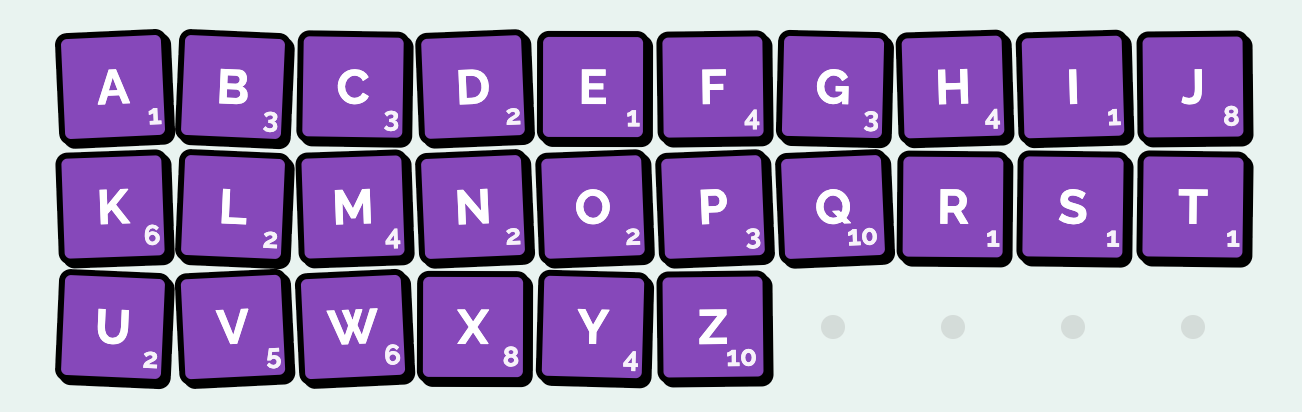
I was most surprised by how U seems undervalued in Scrabble and Words With Friends. I used the programs estimates, and made up my own values.
Puzzle Generation
And of course, in order to convert this to a daily game, I had to make one puzzle a day. For Wordle, that means one 5 letter word per day. For OhWord!?, that would mean one set of letters per day.
We originally had randomly generated puzzles, but not all those puzzles were fun to play. So when making puzzles for each day, we needed to avoid puzzles that would not be fun to play. Those puzzles might have:
- Too low expected score
- Too high expected score
- Too few possible words
- Too few possible 10 letter words
- Too many possible 10 letter words
- Too few valuable letters
- Too many of one letter
- Too low tile value
- Too many letters
The layout of this board allows for a maximum length of a 10 letter word, worth 40 points. The best strategy for the game is to try and find a 10 letter word, and then fill in the rest off of it. So we need to ensure our puzzles to have at least a few available 10 letter words to find. It’s also more fun to try and double up a high value tile (6 or higher, like a Z, J, or K). If the puzzle didn’t have any of these, we’d try it again.
We also need our puzzles to score around 100. With randomly generated puzzles, the average user score on any given day could be 60 or 160. This could make it confusing for users who might not know if they are doing well. Calculating an expected score and eliminating puzzles that are out of that range kept it consistent.
export function getExpectedPuzzleScore(puzzle: string, possibleWordsIn?: string[]) {
  const lettersInPuzzleCount = puzzle.length;

  const possibleWords = possibleWordsIn || dictionary.getPossibleWords(puzzle);

  const averageWordLengthScore = Math.round(
    possibleWords
      .map(w => WORD_LENGTH_SCORES[w.length])
      .reduce((sum, c) => c + sum, 0) / possibleWords.length
  );

  const lengthOfWordForAverageValue = getLengthClosestToValueWithoutGoingOver(averageWordLengthScore);
  const expectedWordsAtAverageWordLength = Math.floor(lettersInPuzzleCount / lengthOfWordForAverageValue);
  const expectedWordLengthPoints = averageWordLengthScore * expectedWordsAtAverageWordLength;

  const totalLetterValue = getTotalTileValue(puzzle);
  const expectedTilePoints = Math.round(totalLetterValue * 1.5); // 1.5, expect about half the tiles to be used twice

  return expectedWordLengthPoints + expectedTilePoints;
}
These expected values also help rate the score. Scoring 20 below is considered Good, 10 below is Great, just above is Awesome and over 10 above is Phenomenal.
After generating a few years worth of puzzles, I added an endpoint that returns a new puzzle on each day.
New UI
Wordle welcomes user’s with a pre-game modal with instructions. After they finish the puzzle, Wordle prompts them to share in a post-game modal. My game would also need those.
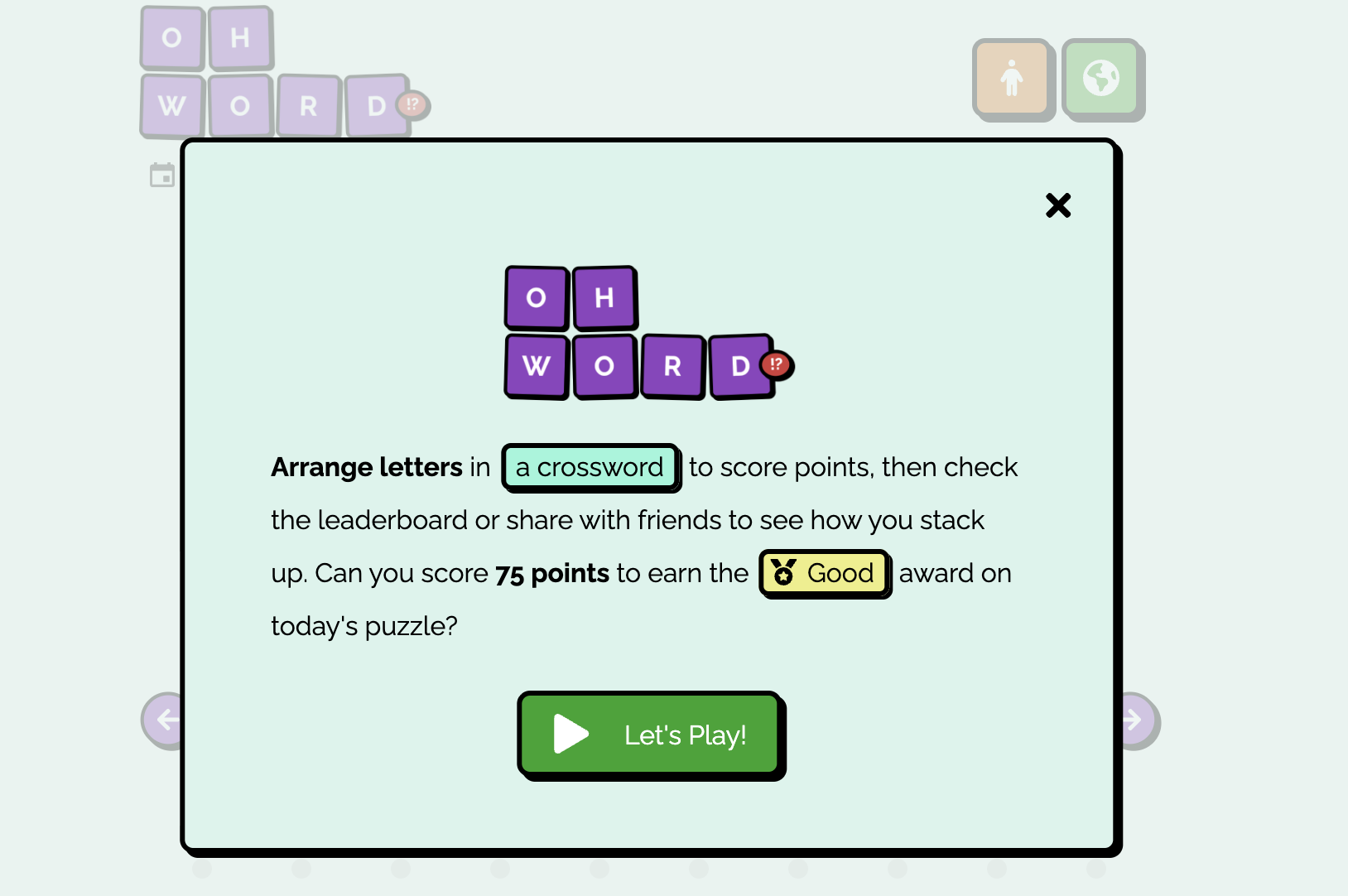
Welcome Modal
In just a few sentences the Welcome modal explains how to play. On a user’s first visit, we prompt them to read the more detailed instructions.
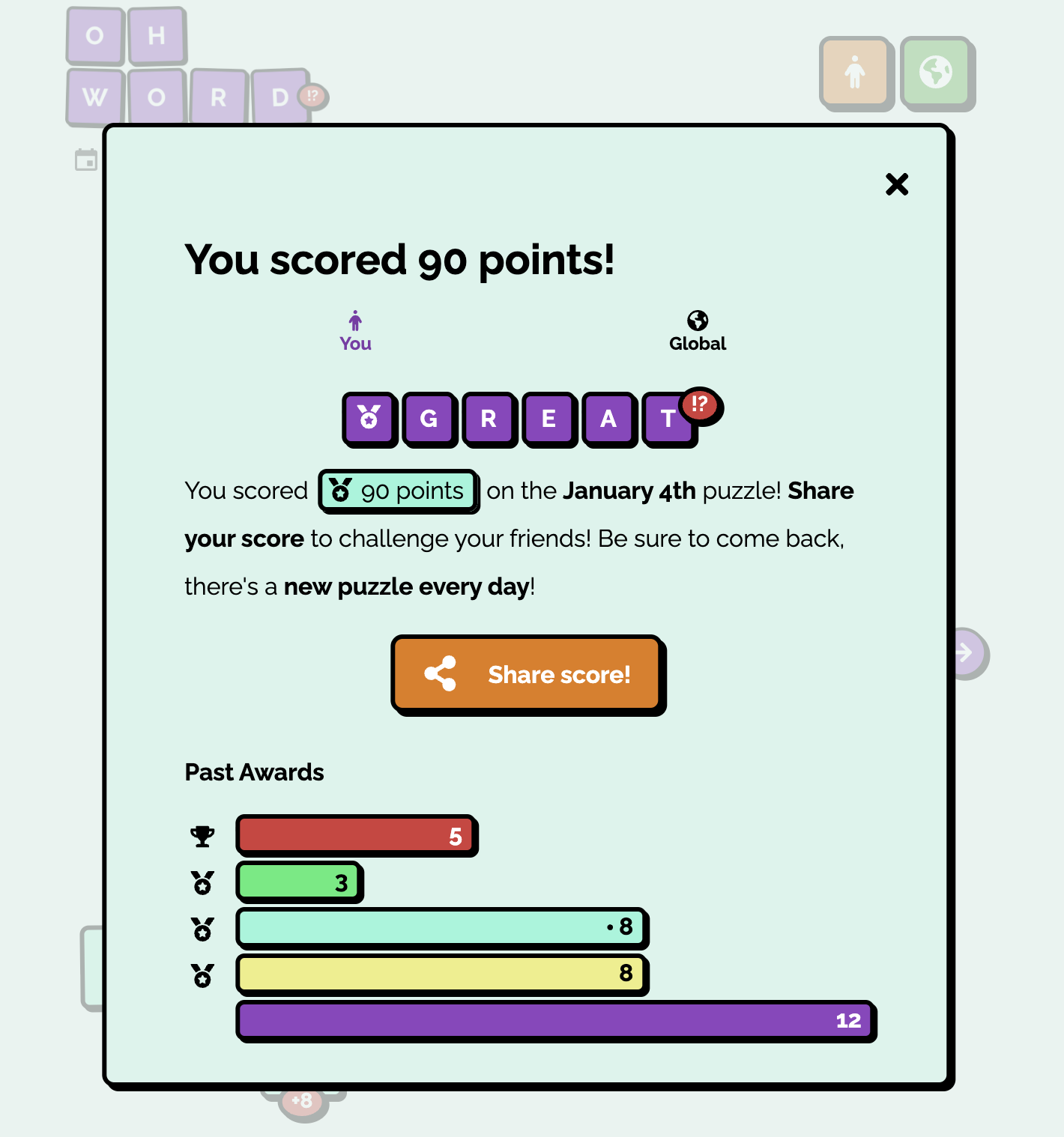
Share Modal
At the end of the game, the share modal pops up automatically. This modal tells you how you did and compares it to how you’ve done before. It also, and most importantly, prompts you to share.
As popularized by Wordle, the OhWord!? share text shows how you did using emoji.
OhWord!? Jan 4
90 points
⬜⬜⬜⬜⬜🟪🟪🟪
⬜⬜🟪⬜⬜🟪⬜⬜
⬜🟪🟪🟪🟪🟪🟪⬜
⬜⬜🟪⬜⬜🟪⬜⬜
🟪🟪🟪⬜⬜⬜⬜⬜
⬜⬜🟪⬜⬜⬜⬜⬜
Additional Features
After sharing it around with family and friends liked it, so I kept working on it.
Global Leaderboard
This quickly became my favorite feature on the site. Most NYT games aren’t scored, just completed. Trying to finish the daily mini as fast as you can means that closer to zero is better. In the case of Wordle, as close to only one guess is best. Unlike those games, OhWord!? doesn’t have a “complete” state. You can use all the tiles, but you can still look for higher value arrangements.
That means, it’s hard for players to tell how good they did, and when they should be “done.” I added expected scores to help with that. A dedicated player might try and reach Phenomenal while a more relaxed player might be content with Good. But there are better comparisons than that. And what’s better to compare yourself to than other people?
To make the global scoreboard I wanted as close to live recording as I could get. To do this I have every player update the scoreboard whenever their score increases. I didn’t want to make players submit their scores manually, at risk of them not doing so (perhaps they give up halfway, or just doesn’t use the submit button).
I went with a Redis database for fast reads and write. Each day a new entry is created. That entry is a map of numbers to counts of people who scored that number.
When a player’s score increases, we:
- Send a
POSTrequest to the high score endpoint - Validate the arrangement is the correct score
- Load the current high score entry for the day
- Subtract one from the score they just had and then add one to the score they now have.
- Store that new value in the DB.
At the end we show the leaderboard to the user in the form of a histogram.
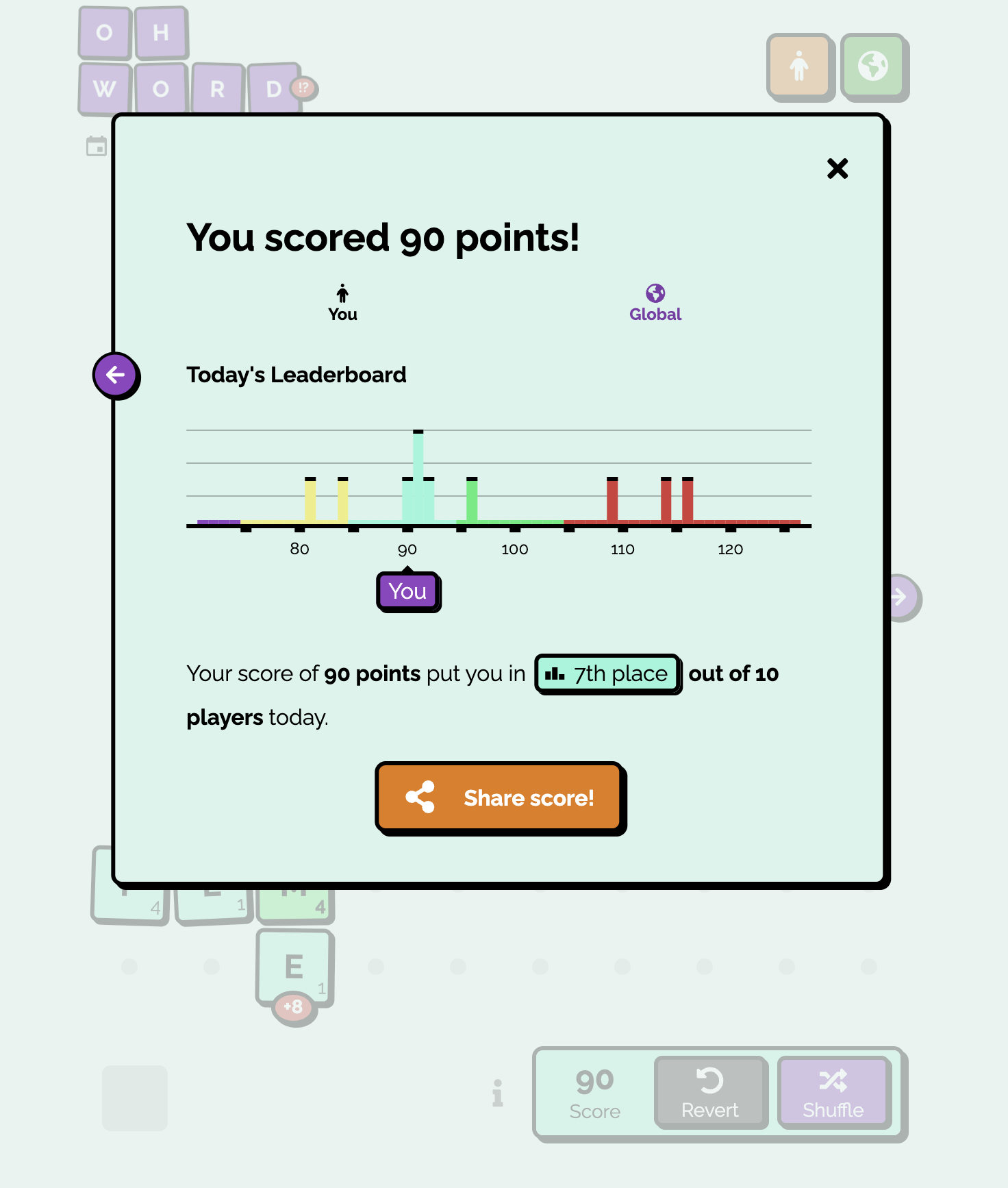
This leaderboard was also very useful in checking how accurate the expectedScore value was for each puzzle.
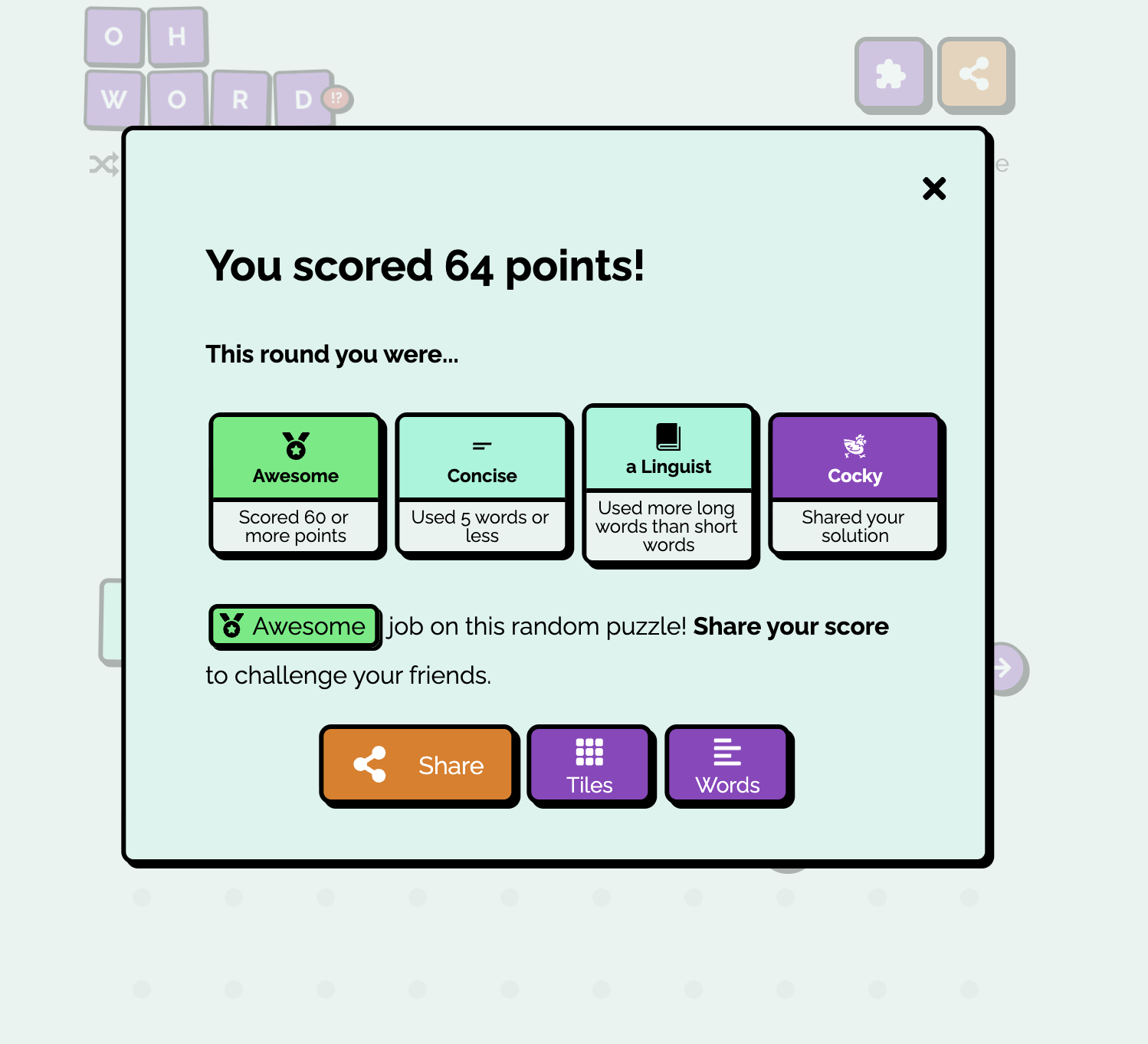
Honors
For a fun little flair, I added superlatives called honors. I have since removed them from the daily, as they are often the same every day and therefore uninteresting. But I kept them in Random Mode.
Random Mode
As a way of keeping the original game alive, I re-added random mode. This way a user can generate as many puzzles as they wanted, and play all day.
This was also helpful for testing as I could copy and paste arrangements into the url params, like this.
https://ohword.flanny.app/r?t=A42A44A37A57C43D67E48G40L47M45O46S27U41
At one point I let Daily players share the arrangement they came up with by linking to that arrangement in Random mode, but I found no one was using it. I think the Share button is more likely to be used if there is just one big one.
Twitter Bot
In hopes of gaining more daily players, I made a Twitter bot that posts a few times a day. It would tweet a daily reminder to play, an update on what the current highest score is, and a congratulations to yesterday’s previous winner.